
We’re currently transitioning our admin model from Team > Group to Organization > Team > Group, with admin roles becoming Organization Admin and Team Admin. As a result, some language in this article (for example, references to “Team” or “Group”) may not exactly match what you see in the product today. The underlying functionality described here remains the same, even if the labels and hierarchy in your app look slightly different while we complete this transition.
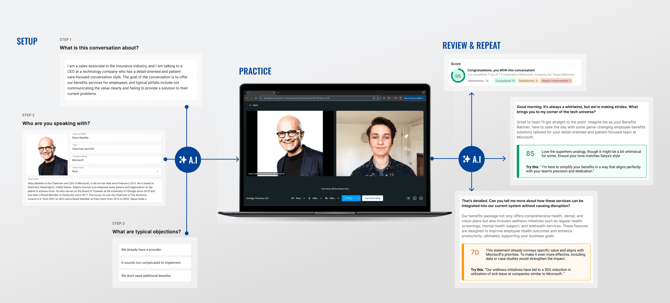
Welcome to Brevity! Brevity turns every sales conversation into a revenue opportunity. Sharpen skills, prevent lost deals, and hit quota faster with AI-powered Brevity role plays.
As you get started in Brevity, note the navigation panel on the left side of your Brevity instance. You can click the three-bars icon to expand the panel.

All users can use the navigation panel to access the following pages:
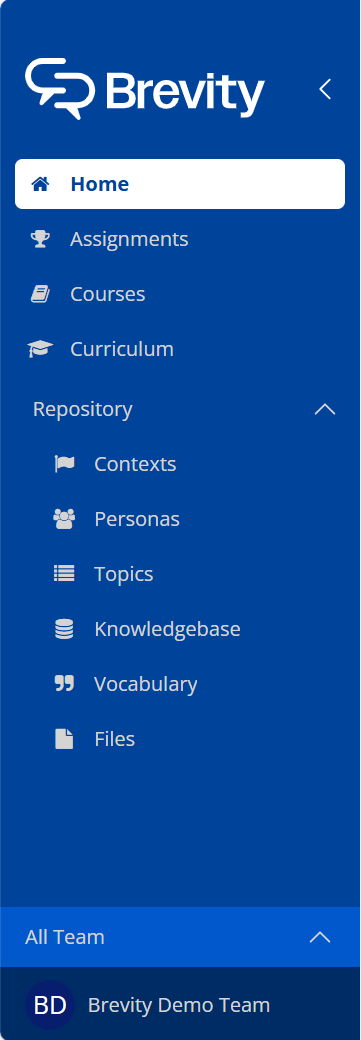
- Home. The Home page includes an Onboarding tab to help get new Brevity users up to speed, as well as the Analytics tab, where you can view your organization's practice data.
- Assignments. The Assignments tab allows you to create and manage assignments for you and your organization. In Brevity, an assignment is a role play course that has been assigned to one or more Brevity users, allowing them to practice the course content.
- Courses. The Courses page is where you can create and manage Brevity courses. In Brevity, a Course is a tailored instructional session aligned with the strategic goals of the company or used to enhance competency areas.
Admin users can also access the following pages:
- Repository. The Repository contains all existing Brevity assets, such as Contexts and Personas, as well as company- and industry-specific material that can provide additional contextual information for Brevity role plays. The Repository contains the following categories:
- Contexts. A Context is a role-play scenario which establishes the situation and the goal of the conversation between the user and the AI persona.
- Personas. A Persona is an AI role play partner for Brevity users.
- Topics. A Topic is a specific conversation subject that can be added to a course.
- Knowledgebase. The knowledgebase contains company- and industry-specific information, such as product and market descriptions, that adds context to a Brevity role play.
-
- Vocabulary. The Vocabulary library allows you to set the pronunciation of company- or industry-specific terms and phrases, ensuring that AI personas correctly pronounce proprietary names.
- Files. The Files library allows you to directly upload company- or industry-specific information, such as product brochures or call recordings. Brevity will ingest uploaded files and add relevant information to the Knowledgebase.
Near the bottom of the navigation panel is the team selector. You can click on the currently selected team to change teams, or to select the All Organization option. For Admin users, many tasks in Brevity can be performed at the All Organization level or within any created teams, so it is important to select the correct team before making changes to users, courses, or assignments.

At the very bottom of the navigation panel is your organization's name and logo. You can click this section to access configuration options, including user management and settings.