
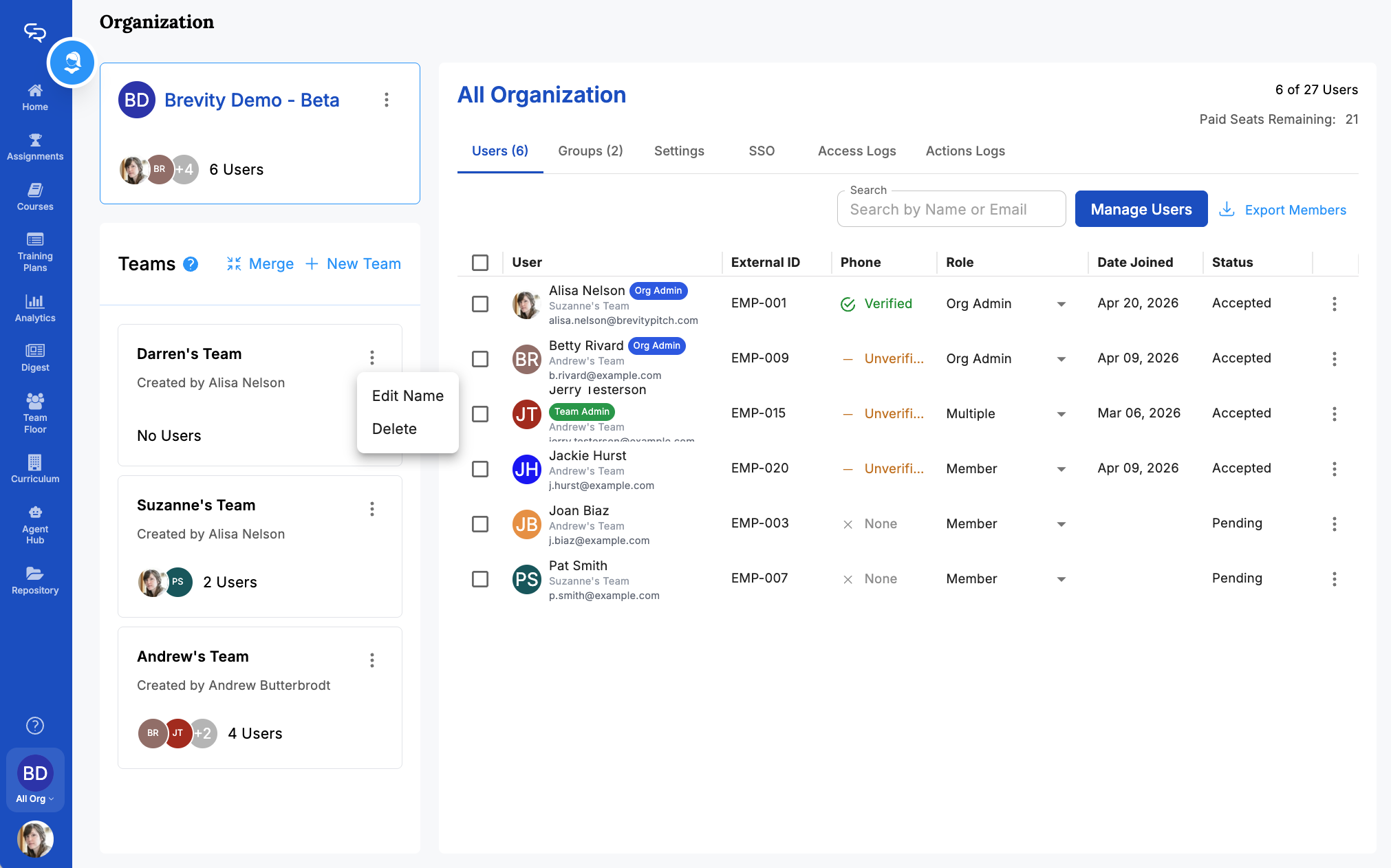
Manage Existing Teams
Change team names and delete teams
We’re currently transitioning our admin model from Team > Group to Organization > Team > Group, with admin roles becoming Organization Admin and Team Admin. As a result, some language in this article (for example, references to “Team” or “Group”) may not exactly match what you see in the product today. The underlying functionality described here remains the same, even if the labels and hierarchy in your app look slightly different while we complete this transition.
Change the Name of a Team
To change the name of an existing team:

- Click the three-dots icon next to the existing group name.
- Click Edit Name.
- Edit the group name and click Save.
Delete a Team
Note that deleting an existing team does not remove that team's users from your organization. To delete a team:

- Click the three-dots icon next to the existing team name.
- Click Delete. The Delete Team window appears.
- Click Yes, I'm sure.