Courses can be shared among Brevity team, allowing admins to reuse particularly impactful courses. To share a course:
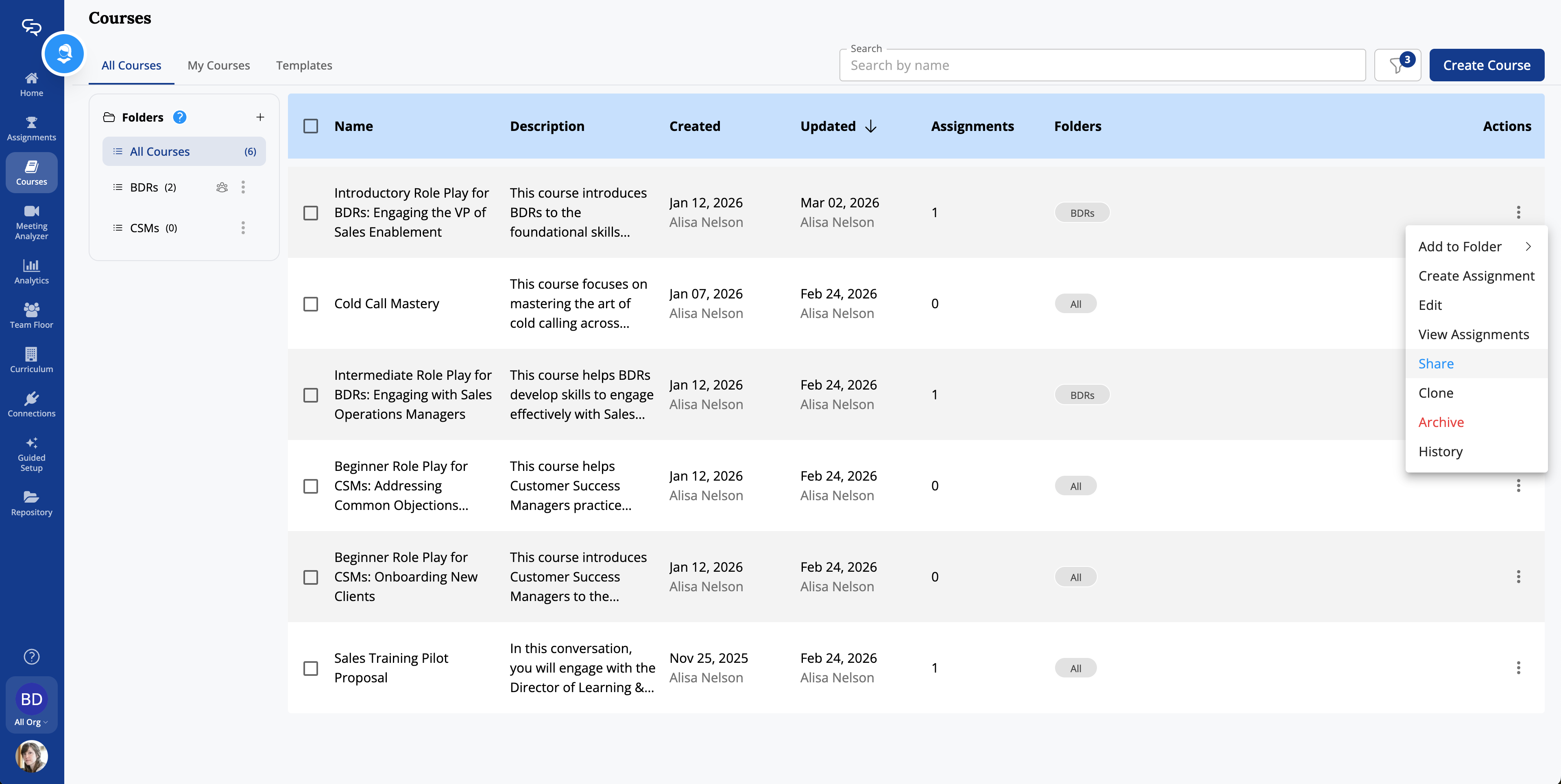
- Click the three-dots menu for the course you want to share.
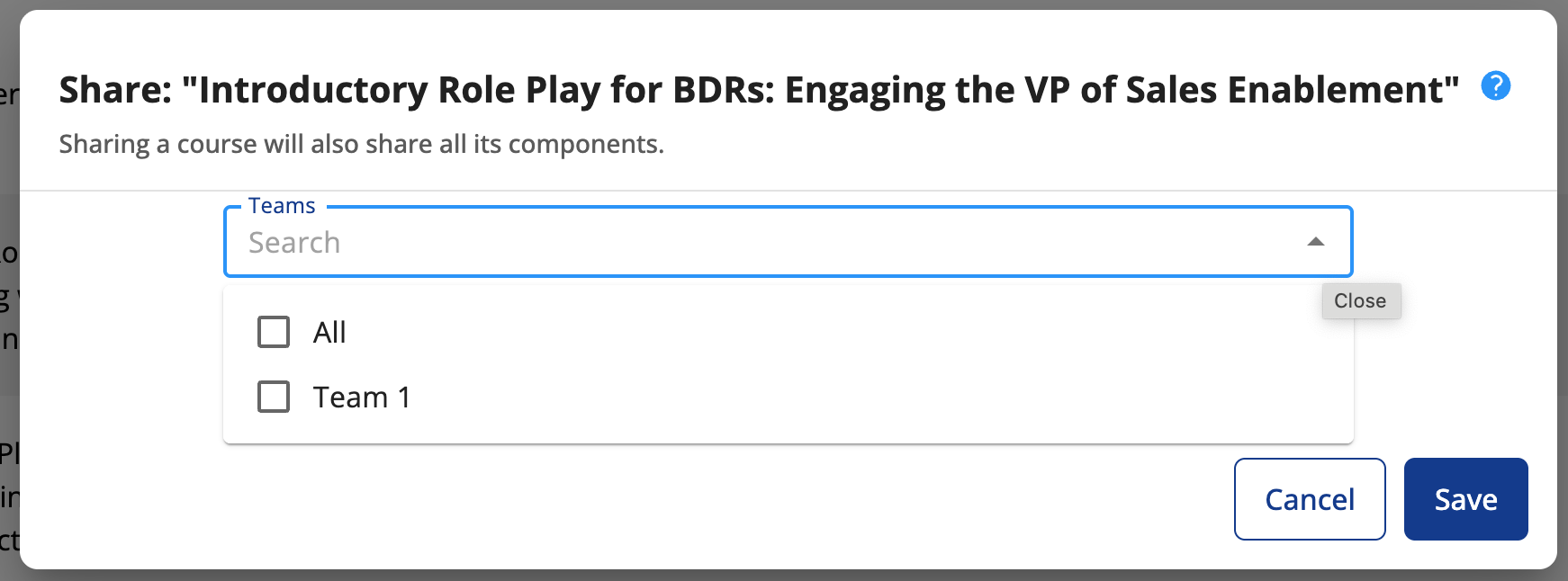
- Click Share. The Share window appears, showing any teams with which the course is currently shared.
- Click the Search Teams drop-down menu to see additional teams and select the additional teams that should have access to the course.
- Select whether the teams have Viewer or Editor privileges for the shared course.
- When set to Viewer, admins in the team can not edit the course, although any edits made to the course by those with Editor privileges will be reflected in the shared version.
- When set to Editor, admins in the team can edit the course, and those edits will be reflected in all shared versions of the course.
- Click Save to share the course with the selected team(s)
Sharing multiple courses to teams
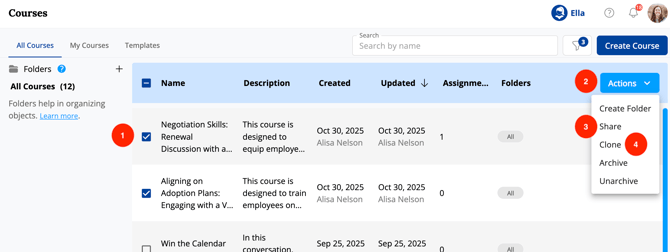
- Select multiple courses by checking the left-hand side box.
- Click the blue "Actions" button
- Select "Share" from the dropdown menu
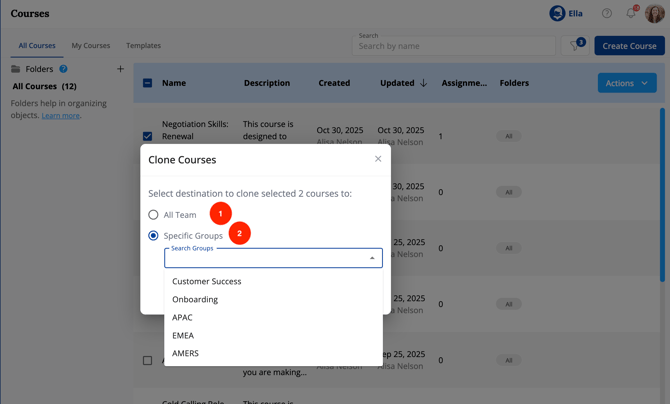
- Alternatively, select "Clone" to send a copy of the selected courses to a new team.
Bulk sharing by folder
You can also bulk share courses by adding them to a shared folder. Any course added to a folder that has already been shared with other teams will automatically become available to those teams. To share multiple courses this way, add them to a shared folder or add them to a folder and then share that folder with the relevant teams. See Role Play Assets and the Repository for steps on sharing a folder.
Sending a course clone to a specific team
Cloning a course is useful when you want to be able to make changes to course assets or descriptions without impacting the existing course, e.g. swapping out personas for a different vertical or adjusting topics based on your customer segmentation.