
Vocabulary Overview
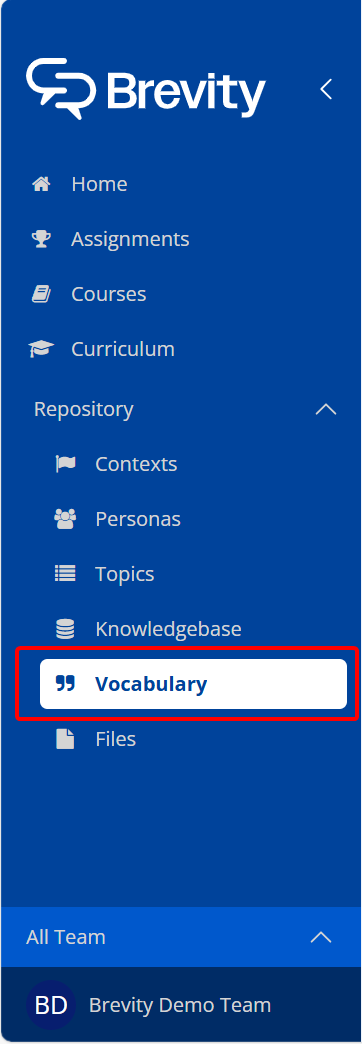
To ensure that voice transcription is accurate in Brevity, you can add unique words and brand names that Brevity users will frequently user in conversation. You can add these key words and phrases to the Vocabulary tab in the Repository.
Adding to the Vocabulary List
To add a term or phrase to the Vocabulary list:
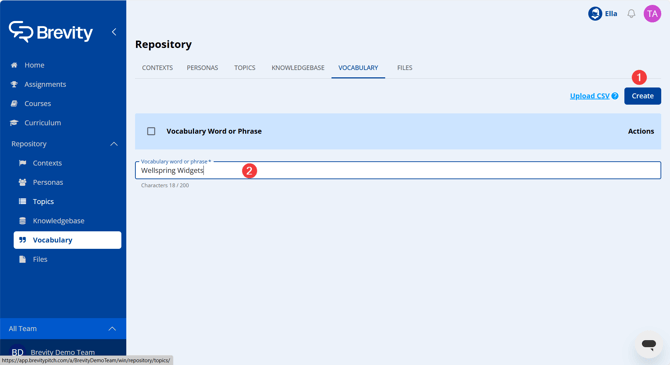
- From the Vocabulary tab, click Create New.
- Enter the vocabulary item directly, then use the Enter key to finalize the entry.
Adding Multiple Vocabulary Entries
If you have many vocabulary terms to enter, you can upload a .csv file to add all entries at once. To add multiple entries:
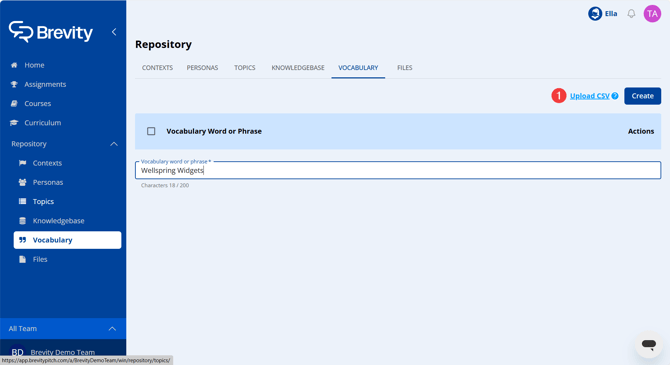
- Click Upload CSV. The file manager appears.
- Navigate to your .csv file and click Open.
Uploaded .csv files must be in a single-column format:
| Brevity |
| Role Play |
| AI Powered |
| Persona |
| Conversational Intelligence |
Note that there is no column header, and all the cells contain the vocabulary terms you want to include. Please remember with respect to spelling, punctuation, and capitalization - these terms will be transcribed as typed.